
Quiz AI: AI Homework Helper
INTSIG PTEEducation
4.6498.00 Reviews
- Version
- 4.27.8.20260922
- Installs
- 1.00M
- Age Rating
- Everyone
Screenshots
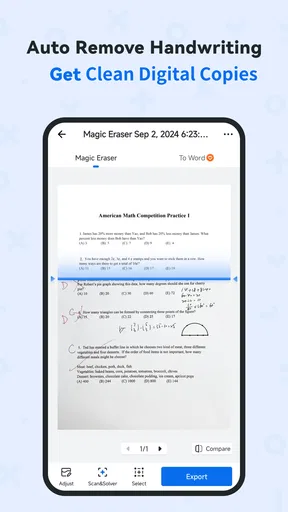
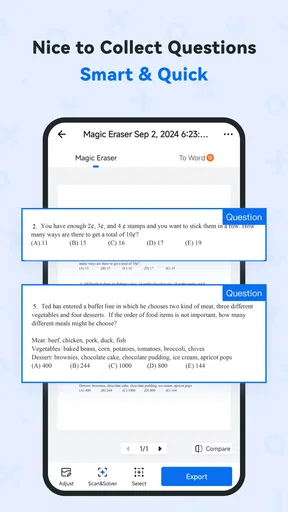
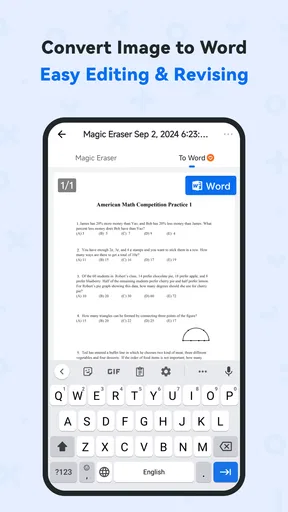
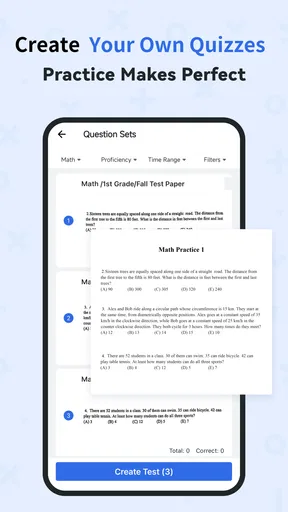
Our Review of Quiz AI: AI Homework Helper
 Analysis by Appyee
When I use an AI study helper, I want it to do more than hand me an answer: I want a quick way into a problem, then enough explanation to continue on my own. That is the useful promise of Quiz AI: AI Homework Helper, an education app from INTSIG PTE. Its central idea is simple—bring a question to the app by typing it or taking a picture, then use the response as a starting point for studying. Whether that works well depends less on asking it to do all the work and more on how carefully I check and follow up on its solutions.
A practical routine for solving and checking work
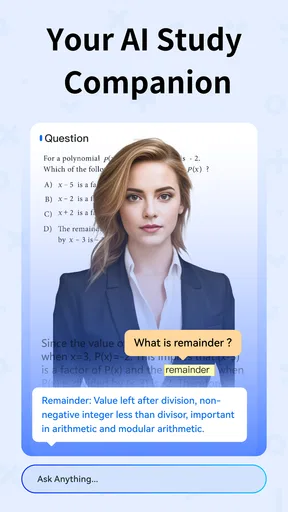
My most sensible workflow is to try the question myself first, even if I can only write down the first step. Then I can scan or type the problem, compare the app’s approach with mine, and look for the exact point where my reasoning diverged. That small pause makes the tool more useful than treating it as an answer vending machine. If I cannot identify the mistake, I can ask a focused follow-up in the AI conversation rather than sending the same broad question again.
For a photographed problem, framing is part of the work. I would keep the question clearly separated from nearby notes, include any relevant diagram or instructions, and check that symbols such as minus signs, exponents, and fractions are legible. A blurry or crowded image can make a correct-looking explanation answer the wrong question. Typing is slower, but it gives me more control when the notation is unusual or the image contains several exercises.
One realistic use is a student revising after dinner who gets stuck on a multi-step algebra problem. They can photograph just that exercise, read the working, then cover the answer and attempt the next similar question independently. If the app’s result differs from a textbook or class notes, that is a prompt to compare the steps, not a reason to assume either source is automatically right. I find that approach particularly useful for spotting a misunderstood rule before it becomes a habit.
Settings and habits that make a difference
Before relying on any study assistant, I would check the app’s available options and account or purchase screens, especially if I plan to use it regularly. Quiz AI is free to download, but it offers in-app purchases ranging from $0.99 to $299.99 per item, so it is worth checking what a prompt is asking before confirming a purchase. I would also review the device’s camera and notification choices when first setting up a scanning-and-study app, and allow only what fits the way I intend to use it.
The app’s current version is 4.22.0.20260205, and it requires Android 10 or later. I would keep it updated through the relevant app store, since an older installation may not behave like the current release. Quiz AI is rated for Everyone, which makes it suitable for a broad audience, though younger students still benefit from an adult helping them treat generated explanations as study material rather than unquestionable answers.
A repeatable habit matters more than a long list of settings. I would keep a short note of the topics I repeatedly get wrong, then use the app to explain one example and work through a fresh problem without looking. If a study planner is available in the version being used, scheduling a modest session can help turn occasional problem checks into a routine; I would avoid filling it with reminders I will quickly ignore. The aim is to make each visit lead to practice, not just another saved answer.
Where it fits among study alternatives
Compared with searching the web for a worked example, Quiz AI can feel more direct because I can bring it the particular question in front of me instead of trying to find a close match. A conventional calculator is better when I already understand the method and only need arithmetic checked. A textbook or teacher is still the stronger choice when I need a carefully sequenced lesson, feedback on my own reasoning, or a reliable explanation of a specialized topic. I see the app as a convenient bridge between being stuck and knowing what to practice next, not a replacement for those resources.
That distinction also helps answer who should skip it. A student who wants a human tutor to notice confusion and adapt a lesson in real time may find an AI response too impersonal. Someone who needs a guaranteed answer for a narrow advanced subject should verify the result with class materials or a trusted instructor. And if the main goal is simply to calculate a number, opening a calculator is quicker and avoids adding an unnecessary step.
Using explanations without outsourcing learning
The best way I have found to judge a solution is to ask whether I could reproduce its reasoning after closing the app. I would read the explanation once, write the key steps in my own words, and then solve a related question from a worksheet or class notes. If I can only repeat the final answer, I have not learned enough yet. If a response skips a step, I can ask about that specific transition; if the explanation remains confusing, switching to a teacher’s notes is a sensible next move.
There are trade-offs in the scan-first approach. A camera can save effort when a question is long, but it may be less reliable than typing when a page has multiple parts or dense notation. Before acting on a result, I would check that the app interpreted the intended question and not a nearby instruction or example. For multi-part exercises, separating the parts into individual prompts can make it easier to see which explanation belongs to which task, though it takes more time.
It is also worth deciding in advance what kind of help is appropriate for a class assignment. I would use the app to clarify a method, check a practice problem, or understand a mistake, while following the teacher’s rules for graded work. That boundary keeps the tool useful without letting a quick answer replace the thinking the assignment is meant to develop.
How the app feels in everyday study
Ever found yourself in a bind trying to solve a tricky homework problem? Enter Quiz AI: AI Homework Helper. This app promises to be your personal tutor, ready to tackle any academic challenge you throw its way. I took it for a test drive and here's what you need to know.
First Impressions Matter
Right off the bat, Quiz AI greets you with a clean and intuitive interface. Navigating through the app is a breeze, which is great because who needs more stress when you're already sweating over homework, right? The design is minimalistic yet visually appealing, allowing you to focus on what's important – solving those pesky problems.
Features That Stand Out
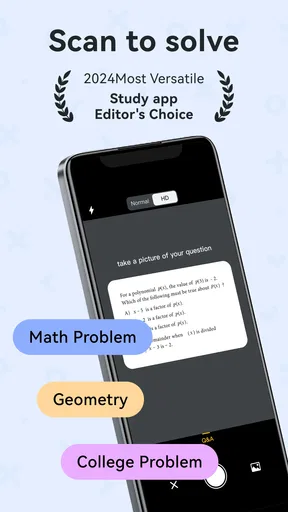
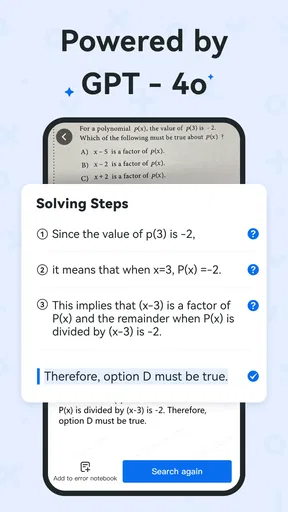
One of the coolest features is the AI-powered question solver. Just snap a picture of your question or type it in, and the app gets to work. The speed at which it processes and returns solutions is impressive. It's like having a tiny genius in your pocket. The explanations provided are thorough, breaking down complex problems into understandable steps. This is especially helpful for visual learners who need to see the solution laid out before them.
Another nifty feature is the study planner. You can schedule study sessions, set reminders, and track your progress over time. This turns the app into more than just a problem solver; it becomes a study companion, helping you stay organized and on top of your game.
Who Can Benefit?
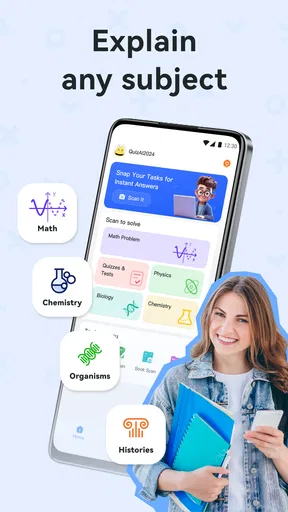
Honestly, this app is a game-changer for students across various levels. Whether you're in high school grappling with calculus, or a college student trying to master organic chemistry, Quiz AI has got your back. It’s also a fantastic resource for parents looking to help their kids with homework without having to relearn algebra themselves!
In practice, I think the strongest fit is a learner who already has notes, lessons, or class examples and needs help getting past one specific sticking point. A parent can also use it to review a child’s practice question together: rather than simply copying the result, they can ask the child to explain one step back in their own words. That turns a fast answer into a useful conversation. For a full course plan or sustained coaching, though, a teacher or tutor offers context an on-demand solver cannot match.
Room for Improvement
While the app is pretty solid, there are a few areas worth mentioning. Occasionally, the AI might miss the mark on highly specialized topics, but it’s rare. Additionally, while the app is free, some advanced features are locked behind a subscription, which might not be ideal for everyone. However, the free features are robust enough for most users.
Quiz AI has a 4.5 average from around 9,200 ratings, with more than 1 million installs, so it has clearly found an audience among people looking for quick study support. I would still treat popularity as context rather than proof that every answer will suit my class or subject. The app was released on July 22, 2022, and its broad Everyone age rating makes it accessible, but the quality of a study session still depends on checking the explanation and doing some independent practice.
Final Thoughts
In a world where technology is becoming increasingly integrated into education, Quiz AI stands out as a powerful tool in a student's arsenal. It combines the power of AI with an easy-to-use interface to make learning a little less daunting. Give it a try, and you might just find your grades improving and your stress levels dropping.
So, if you’re ready to transform your homework routine and take a step towards academic success, you might want to check out Quiz AI. It's like having a personal tutor, but way cooler.
My verdict after building a repeatable routine
I would recommend Quiz AI to students who want an easy way to get unstuck, especially when they are willing to compare a response with their own work and verify anything important. Its scan-or-type approach suits quick questions, and the study-planning tools described here can support regular practice when used lightly. The main caution is simple: an AI explanation can sound confident without being the right fit for a particular lesson, so I would not make it my only source for difficult or high-stakes material.
For me, the useful routine is to attempt a question, bring only the confusing part to the app, inspect the reasoning, and then test myself on a similar problem. If I cannot explain the method without looking, I am not finished. Used that way, Quiz AI is a handy study companion rather than a substitute for learning—and that is the role in which I would feel comfortable recommending it to a friend.
Privacy and Permissions
See what permissions an app requests and how it handles your data.
- Location
- approximate location (network-based), precise location (GPS and network-based)
- Photos/Media/Files
- access USB storage filesystem, read the contents of your USB storage, modify or delete the contents of your USB storage
- Storage
- read the contents of your USB storage, modify or delete the contents of your USB storage
- Camera
- take pictures and videos
- Microphone
- record audio
- Wi-Fi connection information
- view Wi-Fi connections
- Other
- view network connections, pair with Bluetooth devices, access Bluetooth settings, change network connectivity, allow Wi-Fi Multicast reception, full network access, change your audio settings, control vibration, prevent device from sleeping
Verdict
Strengths of Quiz AI: AI Homework Helper
- Offers instant explanations for complex topics.
- User-friendly interface with intuitive navigation.
- Supports a wide range of subjects and levels.
- Integrates seamlessly with popular study platforms.
- Provides personalized learning recommendations.
Limitations of Quiz AI: AI Homework Helper
- Limited offline functionality for remote areas.
- Subscription required for premium features.
- Occasional inaccuracies in generated answers.
- Some advanced topics lack depth in coverage.
- User data privacy practices need more transparency.
Other Releases by INTSIG PTE
View All
CamScanner- scanner, PDF maker
Productivity4.6
Similar Picks in This Category
View All
Duolingo: Language Lessons
Duolingo4.7

Google Classroom
Google LLC2.8

Unacademy: Learn & Crack Exams
Unacademy3.2

Bible App for Kids
Life.Church4.4

Cake - Learn English & Korean
Cake Corp.4.7

Brainly: AI Homework Helper
Brainly4.5
Frequently Asked Questions
What is Quiz AI: AI Homework Helper?
Quiz AI: AI Homework Helper is an educational app designed to assist students with their homework by providing AI-generated quizzes, practice questions, and step-by-step solutions. It aims to enhance learning by offering interactive and personalized support across various subjects. The app is available on both Android and iOS platforms.
How does Quiz AI ensure accuracy in its answers?
Quiz AI leverages advanced artificial intelligence algorithms and a vast database of educational content to generate accurate answers. The app continuously updates its resources and incorporates user feedback to improve accuracy. However, users are encouraged to cross-reference with other reliable sources to ensure comprehensive understanding.
Is Quiz AI suitable for all ages and educational levels?
Yes, Quiz AI is designed to cater to a wide range of educational levels, from elementary to college students. The app offers customizable difficulty levels and subject-specific content, making it suitable for different age groups and learning needs. Parents and educators can also guide younger users to ensure age-appropriate usage.
Does Quiz AI require an internet connection to function?
Quiz AI requires an internet connection for initial setup, updates, and accessing the latest content. However, certain features may be available offline once downloaded. Users can save quizzes and materials for offline access, making it convenient for use in areas with limited connectivity.
Are there any in-app purchases or subscriptions in Quiz AI?
Quiz AI offers both free and premium versions. The free version provides basic features, while the premium version includes advanced functionalities, ad-free experience, and additional resources. Users can opt for monthly or annual subscriptions for the premium version, offering flexibility based on individual needs and budget.
